 ColorPairLab
Export, Import and Back Up Color Palettes
Use CSS in your project, JSON to reopen a palette, and SVG for a color card. A collection backup keeps a copy of the palettes saved in this browser.
Color Palette Builder →Download files directly from the palette builder without an account. A single-palette export and a saved collection backup serve different purposes: the first moves one set of colors, while the second preserves your browser’s saved entries.
Choose the right output
| Format | Contains | Typical use |
|---|---|---|
| CSS | Canonical values under generated --color-1 style identifiers | Bring the raw values into a stylesheet. |
| JSON | Version, palette name, stable swatch IDs, canonical hex values and standard marker | Reopen the supported palette structure. |
| SVG | A vector swatch card with labels | Share a scalable visual reference. |
CSS variable names follow the swatch order, so spaces or punctuation in a palette name do not become code. SVG displays names as escaped text and includes no scripts or remote images. The colors keep their exact values in each format.
What palette JSON contains
{
  "schemaVersion": 1,
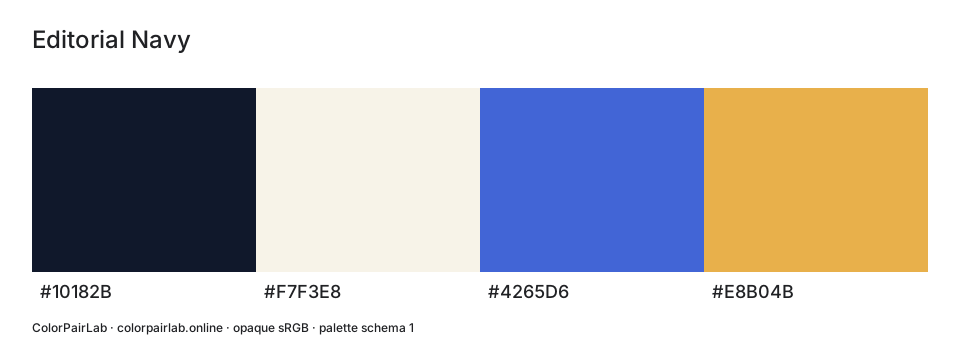
  "name": "Editorial Navy",
  "colors": [
    {
      "id": "swatch-1",
      "hex": "#10182B"
    },
    {
      "id": "swatch-2",
      "hex": "#F7F3E8"
    },
    {
      "id": "swatch-3",
      "hex": "#4265D6"
    },
    {
      "id": "swatch-4",
      "hex": "#E8B04B"
    }
  ],
  "standard": "opaque-sRGB"
}
A portable palette uses schemaVersion 1 and the opaque-sRGB marker. Include two to eight colors with unique IDs and six-digit hex values. Names can contain up to eighty Unicode code points. This format keeps the name, IDs and colors; it leaves out editor locks, working labels and role notes.
Check a JSON export by importing it
- Download JSON from a known palette and keep the file.
- Choose JSON file, select it and confirm the palette import.
- Compare the palette name, swatch count, order and hex values.
- Export again if needed and compare the contents, not just the filename.
A single-palette file can be up to 64 KiB. It must pass all JSON checks before you confirm replacing the workspace. One color, a repeated swatch ID, an alpha-bearing hex value or schemaVersion 2 will cause rejection. Fix the file or return to a valid export.
{
  "schemaVersion": 2,
  "name": "Unsupported version",
  "colors": [{"id":"one","hex":"#000000"},{"id":"two","hex":"#FFFFFF"}],
  "standard": "opaque-sRGB"
}
The example above uses an unsupported version on purpose, so it will be rejected. For a valid file, use the Editorial Navy example earlier in this guide.
Back up your saved collection
The browser collection holds up to thirty palettes. You can rename or delete entries, or update an existing palette when the collection is full. Choose Download collection backup to save all entries in one file.
A collection backup can be up to 256 KiB and must fit within the thirty-palette limit after import. Matching saved IDs are replaced; unrelated entries remain. Invalid files, an over-limit merge or a failed storage write leave the previous stored collection unchanged.
The backup contains a versioned palettes array with saved IDs and update times. It can retain working labels, role notes and locks as well as the colors. Use Import collection backup for this file, rather than the single-palette import.
If browser storage fails
Private browsing, full storage or browser restrictions can prevent saving. You can still edit and download the current palette. If the saved collection cannot be read, preserve any recoverable data before choosing Clear saved palettes; the tool does not silently replace damaged data with an empty collection.
Clearing saved palettes removes only ColorPairLab’s collection. Your theme preference and unrelated browser data remain. Download a backup before clearing data or moving to another browser or device.
What a share link keeps
A share link contains a version marker and two to eight hex values. It leaves out names, notes and stable swatch IDs. Use it to reopen a color set; use JSON for an editable palette or a collection backup for saved work.
Download example files
Sources and further reading
Content reviewed: October 22, 2026