 ColorPairLab
How to Use the Palette Contrast Matrix
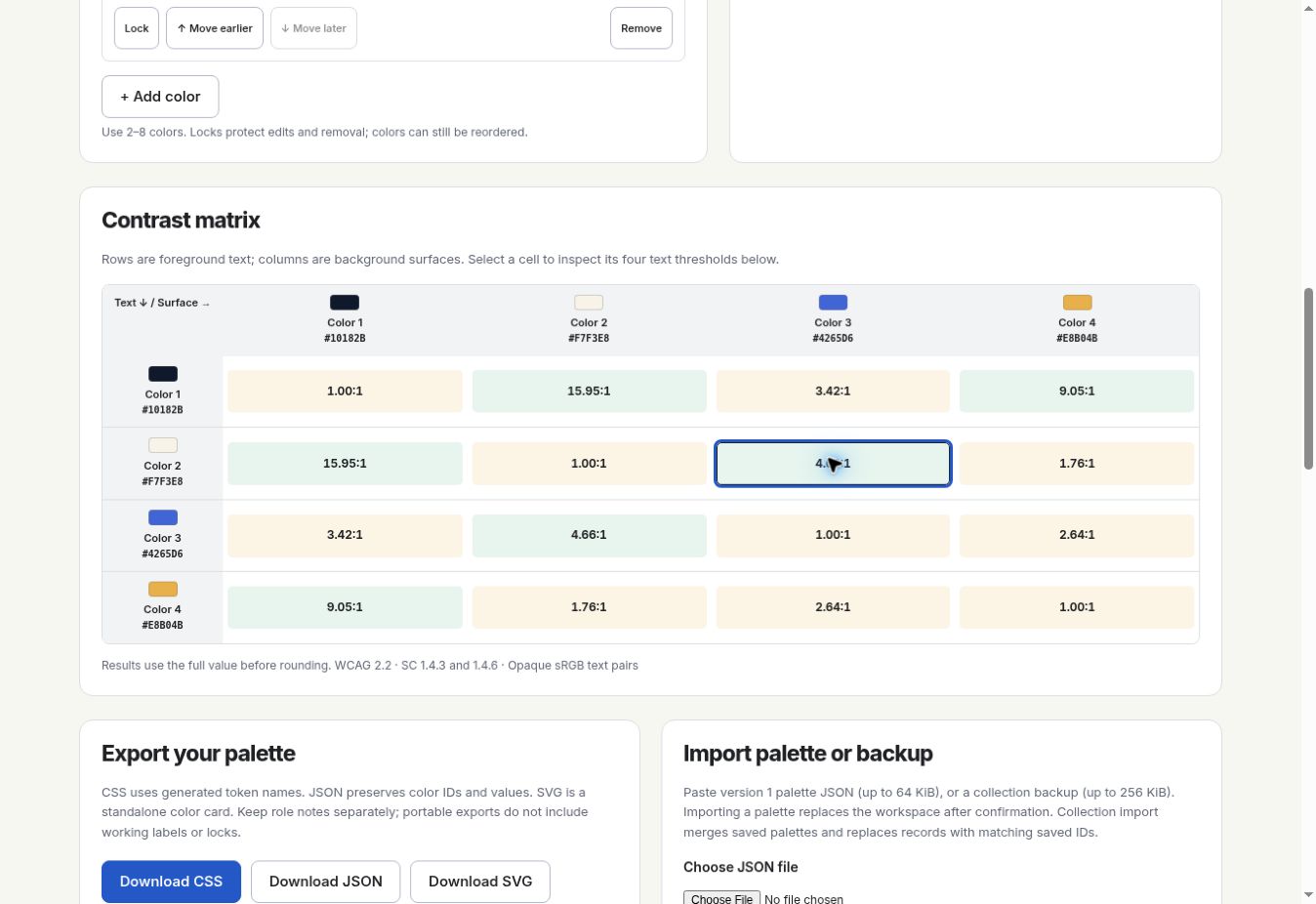
Read the matrix by choosing a text row and a background column. Select their intersection to inspect the pair’s contrast results.
Palette Contrast Matrix →The matrix compares every color in a palette with every other color. With two to eight swatches, you get four to sixty-four cells. Use those comparisons to find the text and background pairs your design needs.
Start with a palette
Open a palette such as Forest Paper or enter your own colors in the builder. Keep between two and eight swatches. Repeating a color is allowed, but every swatch needs a unique ID in an imported JSON file.
- Open a palette in the matrix or builder.
- Confirm the exact hex values.
- Use short labels that help you recognize the swatches.
- Download JSON if you need to keep the palette outside this browser.
Read the row and column labels
Choose the row for your text color and the column for the background. Their intersection gives the ratio. The mirrored cell has the same ratio with the roles reversed, so check the labels as well as the number.
| Text / background | #193A2C | #F3F0E3 | #527B55 | #D9B66F |
|---|---|---|---|---|
| #193A2C | 1.00:1 | 10.92:1 | 2.57:1 | 6.46:1 |
| #F3F0E3 | 10.92:1 | 1.00:1 | 4.25:1 | 1.69:1 |
| #527B55 | 2.57:1 | 4.25:1 | 1.00:1 | 2.51:1 |
| #D9B66F | 6.46:1 | 1.69:1 | 2.51:1 | 1.00:1 |
For Forest Paper, choose row #193A2C and column #F3F0E3. The result is 10.92:1. Reverse them for paper-colored text on dark green. A color paired with itself sits on the diagonal at 1.00:1.
Select a pair
Click a cell or focus it and activate it with the keyboard. The selected-pair area shows both colors, their ratio and all four AA and AAA results. Open it in the contrast checker to adjust the text size and weight in a larger preview.
| Selected cell | Foreground | Background | Meaning |
|---|---|---|---|
| Row 1, column 2 | #193A2C | #F3F0E3 | Dark text on a paper surface |
| Row 2, column 1 | #F3F0E3 | #193A2C | Paper-colored text on a dark surface |
| Row 1, column 1 | #193A2C | #193A2C | Identical colors: 1.00:1 |
Use normal-text results for a 16 px paragraph and large-text results for a 24 px regular heading. The ratio stays the same; the text category decides which threshold applies.
Scroll the matrix on a small screen
On a narrow screen, scroll inside the matrix to reach more columns. Check both color labels before selecting a cell, then use the selected-pair summary to confirm the values.
Keyboard users can Tab to a cell and activate it to inspect the pair. Each cell’s accessible name includes its text color, background and ratio. You can use those values when colors are hard to distinguish.
Check again after an edit
Changing a swatch updates its entire row and column. Recheck every text use that depends on it. Reordering changes the position of the swatches without changing their values; locking protects a value from accidental edits or removal.
- Record the text color and background.
- Choose AA or AAA and the relevant text size.
- Mark any undecided uses in your notes.
- Export once the selected pairs match your design.
Sources and further reading
Content reviewed: October 22, 2026